

Covers & campaigns
The viewing atlas
Start with the name on screen. The atlas keeps streaming platforms and sports competitions in separate groups, with an index you can search.
IPTV Blogs / Editorial reference
Browse reader questions, provider research, device checks and sourced viewing guides from the IPTV Complete Forum editorial desk.
Start with the name on screen. The atlas keeps streaming platforms and sports competitions in separate groups, with an index you can search.

Keep the same channel on screen and note the time it stalls. Try one other feed while the fault is still visible.

Start with the amount due today, its currency and the entire term. A monthly equivalent answers a different question from the one on the invoice.
Start one live channel, mark the first freeze, then replay the same test on a wired connection. Keep the programme and device the same.

A film player can fetch farther ahead. At the live edge, the next piece of a programme may still be arriving when the player needs it.
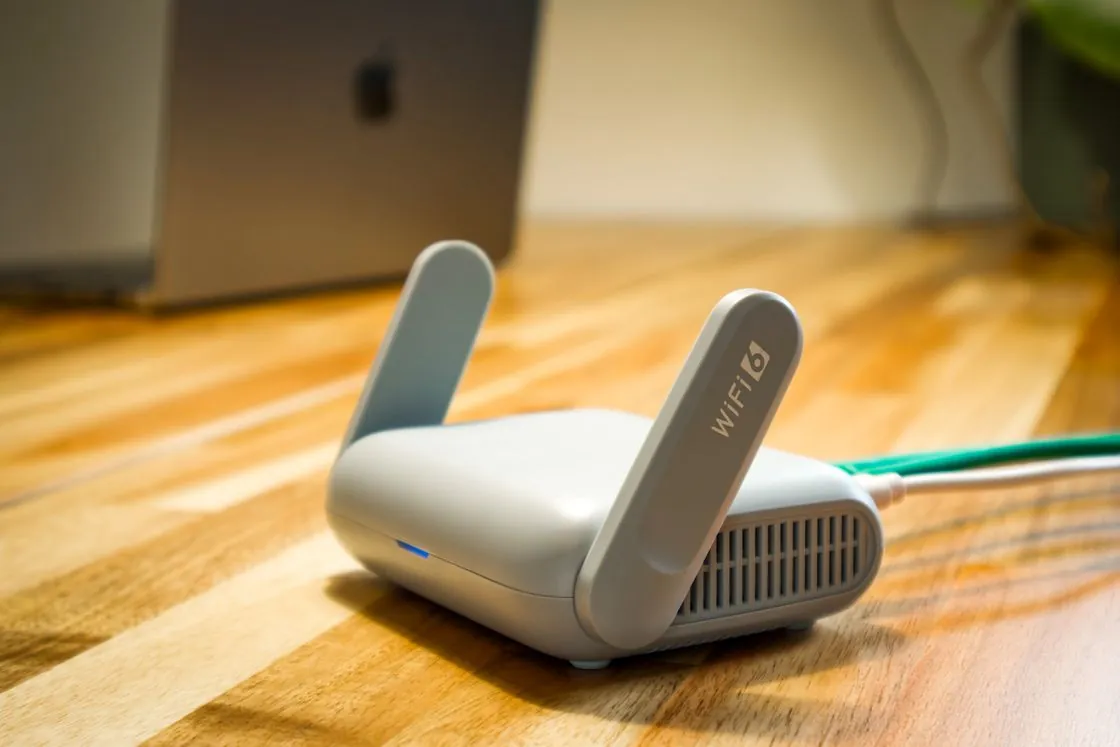
The player may sit behind a metal-backed screen, close to a wall. Compare playback at the device’s actual position before moving the router.
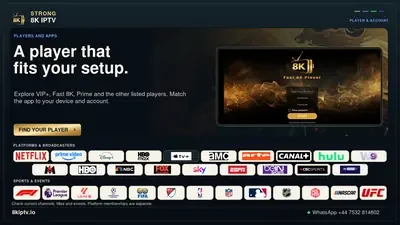
The Strong edition lives under /strong/ on 8kiptv.io. Save that address with the order so a similar 8K name cannot send a renewal to the wrong desk.
The household price sets the term. Ask for the number of simultaneous streams on your order before sharing the account across televisions.

The saved player reference shows the gold VIP+ welcome screen. Match the player name and device store listing before entering account details.

Strong’s one-month bill is USD 9.99. Have the issuer write the allowed stream count beside that price if more than one person watches.
Three months cost USD 24.99 in one term. Three orders of a month each come to USD 29.97 at the prices checked.
Set aside USD 39.99 for the six-month service term. Add a separately confirmed player or extra-screen charge before comparing your household total.
USD 222.00 buys 120 credits. One customer month uses 1 credit, worth USD 1.85 at this pack’s rate.
The full 240-credit pack costs USD 429.60. A 6-month term takes 6 credits, with a direct credit cost of USD 10.74.
A 12-month line spends 12 credits. At USD 2,028.00 for 1,200 credits, that allocates USD 20.28 of the pack to the customer term.
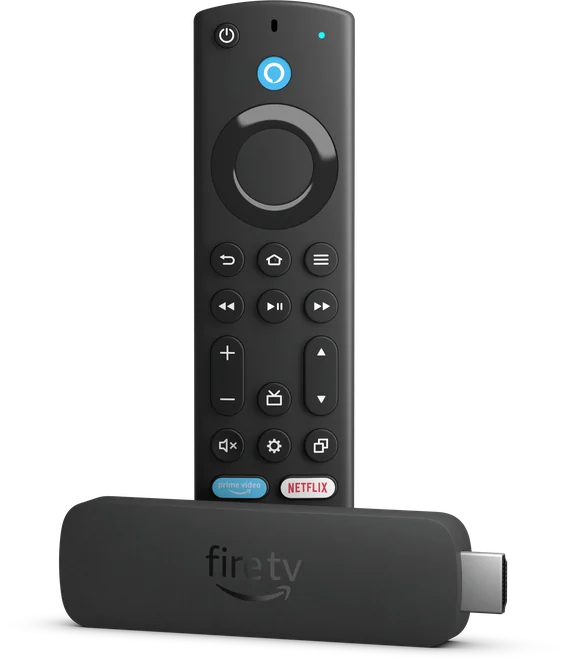
Check the About screen for the model before comparing app requirements. Amazon lists the second-generation 4K Max with Fire OS 8 and 16 GB of storage.
Open Applications, choose Manage Installed Applications, select the player and clear its cache. Start the same programme again before touching saved app data.
Put fresh batteries in the remote and pair it near the stick. Match its button layout to Amazon’s reset instructions before trying a reset sequence.
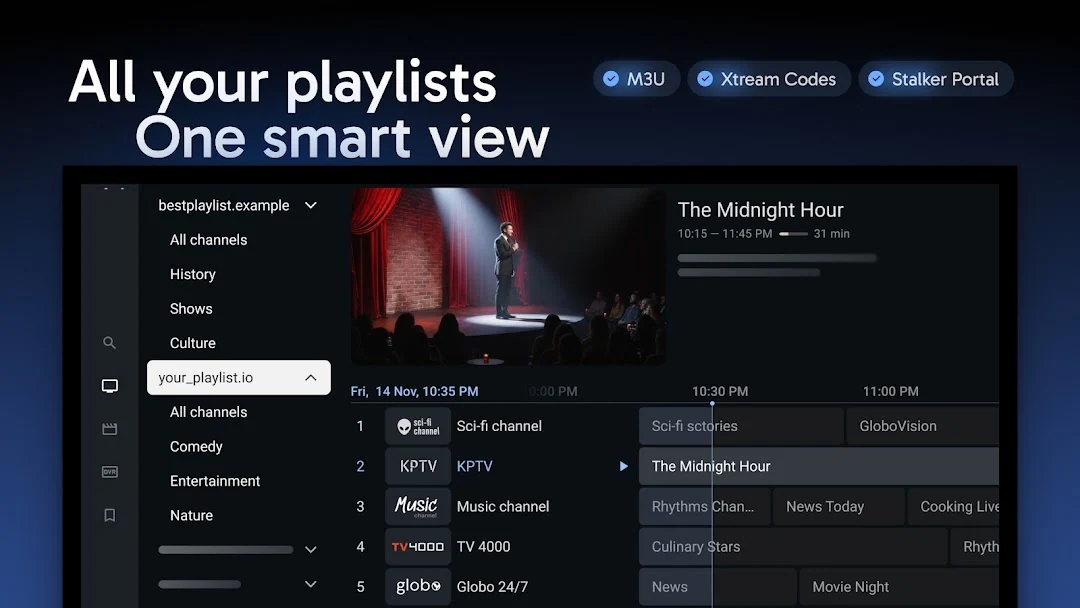
Look up TiviMate from the Android TV itself. Its publisher designs the player for a television and remote. Check the publisher before entering a playlist.
Give each authorised playlist a distinct, recognisable name. Return to the guide and check which playlist contains the working version.
Use TiviMate’s search with a distinctive word from the title. Compare the channel and start time on the result before opening it.
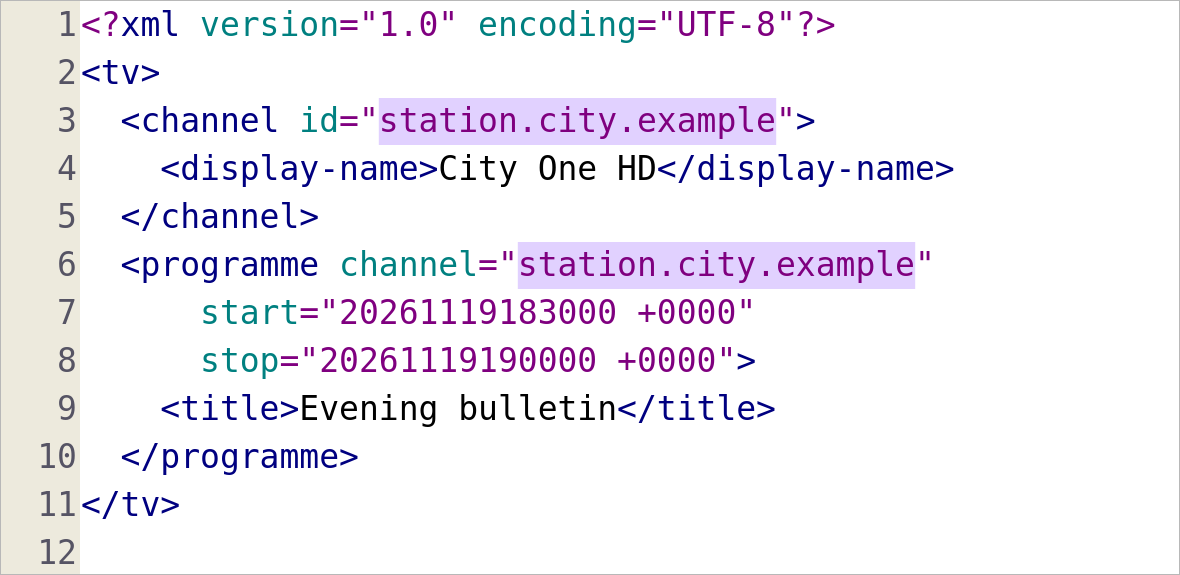
Match the programme’s channel attribute with the channel element’s id. Then check the player’s mapping for that same regional feed.
Choose one regional station with a known upcoming programme. Change its mapping, refresh and check that programme before touching other rows.
Check whether the player retained a manual match. Compare one station in a separate test profile before replacing the profile that holds your favourites.

Write down the programme name, broadcast date and TOLO TV or Lemar TV as shown on the screen. The station name helps distinguish two clips of the same story.

Search RTSH 1 with the Albanian programme title. If the result is an episode page, check its date against the live schedule before setting a reminder.

Add Algeria and the programme title to a search for TV1. Check the broadcaster on the result before saving it alongside a similarly named channel.

Keep the TV and search title the same. If only one profile finds the film, check its maturity setting and blocked titles.
On the title page, read the button beside the version you want. A rental, a channel trial and a film included with Prime lead to different checkouts.
Open the rental in Library and read both time limits. Once playback begins, the remaining viewing window can be shorter than the original rental period.

Choose the matchday, then open the fixture for the two clubs. Use the broadcaster listing for your viewing country to locate its live transmission.
Start with the two clubs and kickoff time. The league’s broadcaster list identifies a territory partner; check that partner’s schedule for the specific game.
Open the round on the season calendar. Write down the session name and local time before looking up the live programme.

Select the nation or region in the BBC schedule and open the news bulletin. Its regional title is a better identifier than the BBC One logo.

Check the nation shown at the top of the BBC schedule. Compare the exact programme and start time before changing a recording.

Select the BBC News channel schedule for the continuous feed. A bulletin on BBC One has its own start and finish times.

Read the subtitle on the artwork and match it to the Marvel Studios listing. The two Avengers films have separate records.

Match the full Part Three title to the film site. A Dune franchise collection can also list earlier films and a separate television series.

Check Brand New Day on Sony’s film page. Keep the full subtitle in your watchlist so an older Spider-Man film does not take its place.
Bring the pack invoice, usable credit count and the deduction for one customer term. The board’s staff examples show how to reconcile a difference without publishing a customer record.

The staff example checks the track menu in each version and whether words appear after a channel change. Save one cue and its time from each.
Match term, currency and billing merchant, then read the renewal line. Keep the receipt privately so the public description can identify the charge without exposing a payer.