
Troubleshooting
Channels play but the guide is empty
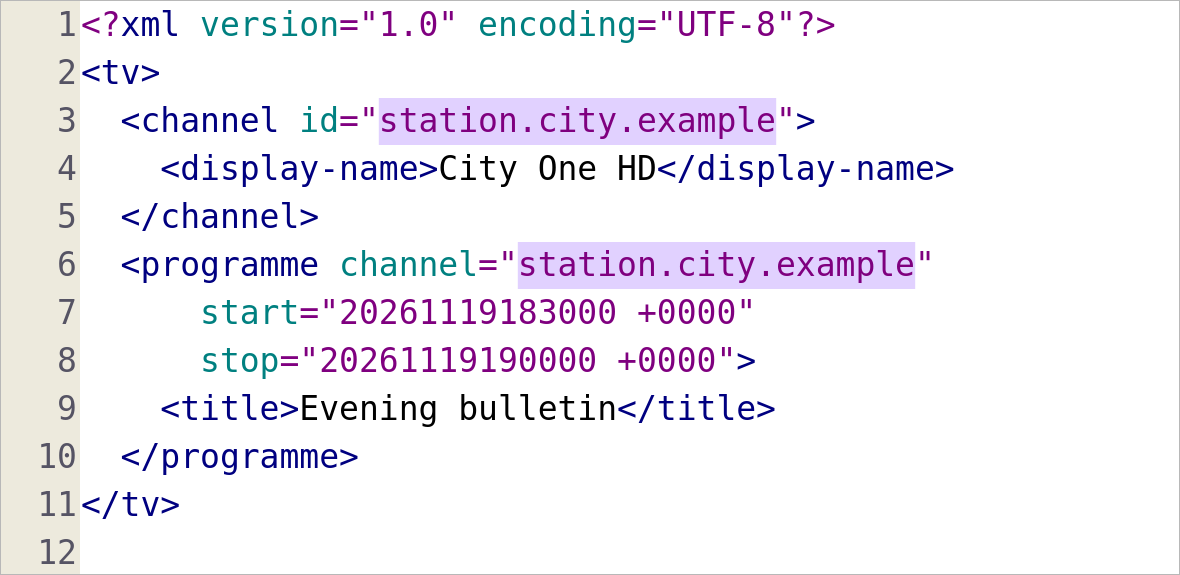
Match the programme’s channel attribute with the channel element’s id. Then check the player’s mapping for that same regional feed.
IPTV Blogs / Field desk
Which field ties an XMLTV programme to its channel? Match the programme’s channel attribute with the channel element’s id. Then check the player’s mapping for that same regional feed.
Match the programme’s channel attribute with the channel element’s id. Then check the player’s mapping for that same regional feed.
Choose one regional station with a known upcoming programme. Change its mapping, refresh and check that programme before touching other rows.

Check whether the player retained a manual match. Compare one station in a separate test profile before replacing the profile that holds your favourites.

Separate the display name, regional feed, guide ID and programme. Compare a regional news slot when the two editions carry different material.
Write the feed edition and the programme expected at a named local time. Include the actual listing so the editor can distinguish a nearby station from a clock error.
Compare the last timestamp in the source with the last slot visible in the player. If both end together, ask the schedule supplier about its publication window.
Read the last successful import, available space and final slot. A download start message alone cannot show whether the player saved the new guide.
Check the first expected programme after midnight, then recheck it after the next scheduled import. Save the feed’s local date with each observation.
Check programmes on two unrelated stations against their broadcaster schedules. If both move in the same direction, inspect the device clock and guide offset.
Read the local date, named time zone and automatic clock status on the device. Correct the clock, then refresh the guide once before adjusting the app.
Test a programme late in the evening and one on the following date. Record the published local date and time for both.
Write down whether sign-in, the catalogue refresh or one stream returned 401. A working menu narrows the problem to a later request.
Check the account method and fields from the provider’s instructions. Inspect privately for stray spaces when pasting, then verify account status in the signed-in portal.
Retry one authorized session and note the item and time. A single playback request can have an expired link or different entitlement from the catalogue.
Try a second authorized item in the same app. Record whether the refusal follows one title, several feeds or the entire account.
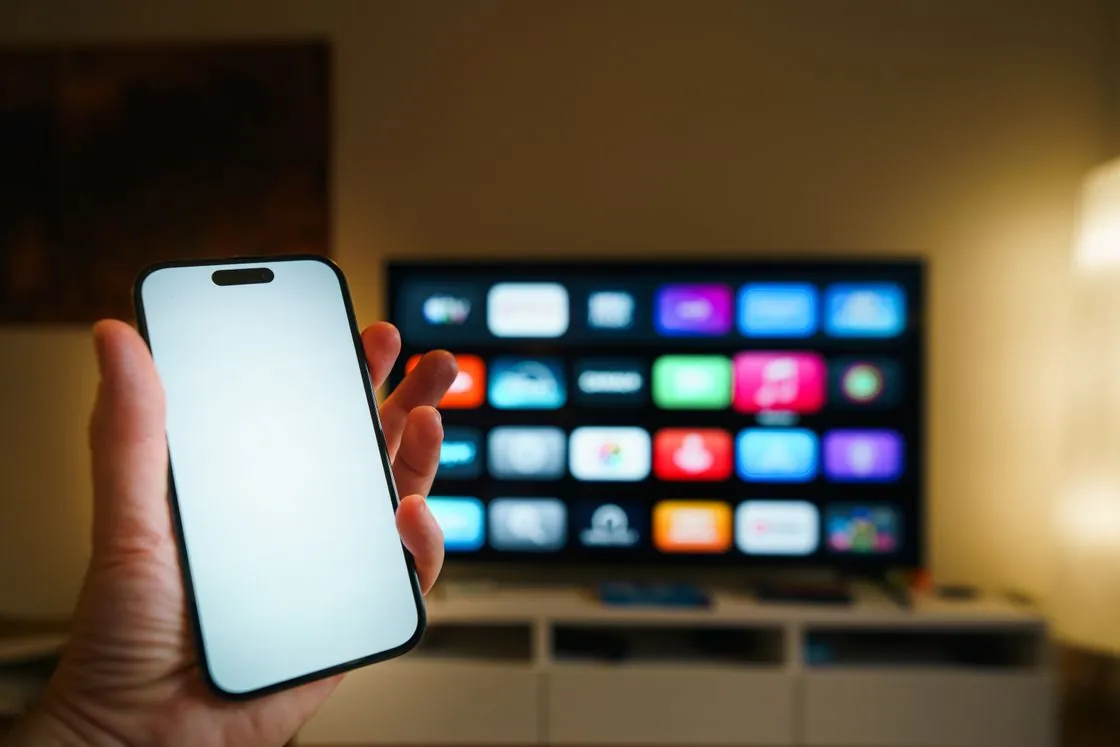
Read the service’s published territorial and account restrictions for the exact event. Ask the operator about the refused item with your market and device.
Find the same channel in the current authorized list. If it opens there, update the saved entry and keep the working profile.

Record the listing name, region, timestamp and last source refresh. Send those details privately to the operator while keeping access tokens out of the report.
Try the HD edition on the same device, connection and scene. A difference narrows the next checks to the heavier stream and its decode path.

Watch a slow camera pan, then a static shot. Note a repeating cadence step separately from a full pause, a spinner or broken sound.
Try another authorized live feed and an independent app at the same time. Record the exact programme and whether both services fail.
Keep the time, feed and error message, then check the provider’s status or support route. Leave a working account and device setup in place.
Compare the Home screen and a second app. If only one app drags, check its own storage controls and retest the same item after clearing its cache.
Check the device’s wording, sign-in recovery and app backup. Clearing stored data can remove setup that survives an ordinary cache cleanup.
Replay the same spoken sentence through TV speakers and the soundbar. Keep the title and player position fixed while switching output.
Use a second title in the same app and repeat a clear, close-up speaking scene. Save the programme and timestamp before changing global audio delay.
Change channels, then return to the same scene or programme. Check whether the delay recurs before leaving a persistent correction enabled.
Open a second authorized title. Record whether interface, captions and programme sound remain visible or audible when only the picture disappears.

Compare the same device, title and output mode connected directly to the TV. Add the receiver or switch back alone and note when the failure returns.

Bring up the player controls and try another known channel. Note whether the controls appear, sound starts or the television reports a new input mode.

Try another title in the original app, then an independent app on the same screen. Record both results before changing network settings.
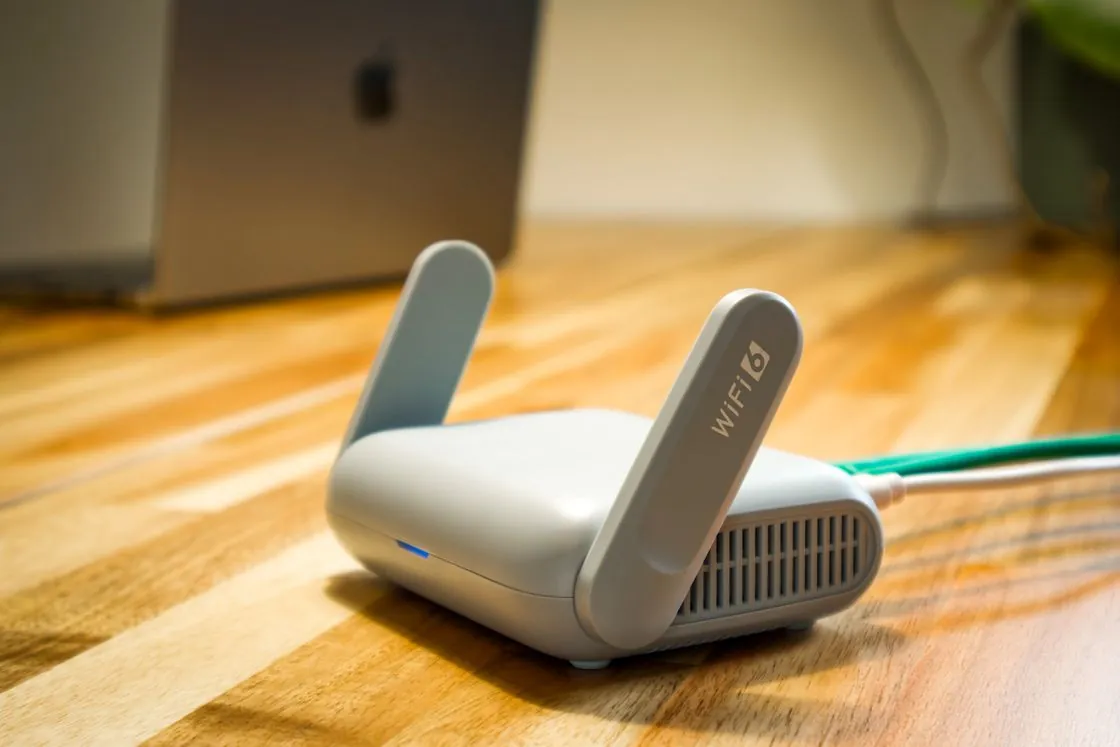
Keep the same player, app and programme. Briefly try a supported wired path or a location nearer the access point, then repeat the timed viewing test.
Record the exact stall time, length, room and feed. A fast measurement from another device later in the day cannot pin down the original interruption.
Compare one missing image with one working image. Check the supplied artwork reference and channel mapping while leaving the playable stream alone.
Inspect the refreshed list and the player’s logo source preference. Find out whether the change affects all stations or one group before rebuilding the guide.
Open the live group and note whether any channels are listed. A blank group and a visible channel that errors are different support cases.
Name a missing group and a working one from the same account. Keep a dated source refresh result so support can check the account’s actual lineup.
Check whether the sender can discover the intended receiver on the permitted local network. Test a second supported cast app before judging the video source.
Cast one known working item to the same receiver. If discovery succeeds but one source fails, record that boundary and the receiver model.
Check the device’s available storage and the largest disposable items. Free space using a reversible cleanup, then run the same guide import again.
Let the import finish and check an upcoming programme in the guide. Record the last successful refresh and remaining storage afterwards.
Check whether the hotel requires an additional browser sign-in or device registration. Ask the hotel which TV or streamer connection method it supports.
Try one known item, within your data allowance. A working hotspot with a failing hotel network points the next question to the hotel connection route.
Record the time and length of each pause and whether audio stops. Compare the same interval with another approved source on the same player.
A laptop and streamer use different radios. Compare a short wired run and the actual viewing result before blaming a single timing spike.
Record the full LG model and webOS version, then check the publisher’s supported countries and devices. Compare the listing from the actual television.
Copy the model names and the new box’s exact message privately. Confirm the operator’s authorization and migration procedure while the old unit still works.
Ask the provider how device binding and active sessions work for the account. Shut the previous session before testing the authorized replacement.
Follow Roku’s reconnection guidance, then test the same protected title on a supported direct path. Record the cable, TV port and any receiver used.
Note whether the TV briefly resynchronizes as the format changes or shows a persistent HDCP message. Record any on-screen error number verbatim.
Record the TV model code, software version, market and publisher. Search from the television and compare the manufacturer’s listing for that model.
Compare the exact name and publisher against the official listing. Keep the existing working setup while you confirm support for the intended edition.
Open the original merchant’s account and verify the product, payment status and new expiry. A player licence and a service renewal can use similar wording.
Check the current expiry in the authorized account first. Follow the app’s documented refresh or sign-in route and report what the account and TV each show.
Open an episode the publisher identifies as captioned on the same screen. Compare its track list with the affected title before changing TV-wide settings.
Check size, colour, background and contrast on the screen that controls the captions. Retest the same spoken line against both bright and dark scenes.
A media or guide resource can still be requested over HTTP. Record which visible step fails and give the publisher the context without including private links.
Include browser version, the authorized item and the public error wording. The publisher can check whether all dependencies are served securely.
Try an SDR title and an HDR title with the same HDMI chain. Record whether the picture returns after a short switch and whether the TV reports a new format.
Select an external source on the television. Check the supported Apple TV model and the television’s return-audio HDMI port before changing speaker settings.
Confirm the device is awake and the remote has power. Follow Apple’s restart or pairing guidance for that remote, then retest navigation near the Apple TV.
Play one known surround title, then temporarily select a supported stereo output. Record the result and the route through TV or receiver before restoring the setting.
Compare an ordinary video with an authorized protected title. Check Firefox’s documented DRM playback setting and the content service’s supported browser list.
Use a repeatable dialogue scene and note which device applies the adjustment. Retest after removing one correction before adding a second delay elsewhere.
Verify the Stick has started and the TV is on its HDMI input. Then follow the pairing guidance for the remote’s exact generation.
Run the status tool while the fault is occurring. Write down whether the Stick reports trouble reaching the local network or the internet.
Inspect Local Network permission for the affected sender app. Open it again on the permitted network and retry discovery before changing the receiver.
Check whether the app still exists in the installed list and note the active profile. A launcher presentation change is a different finding from an uninstalled app.
Check the remote’s battery and ability to reconnect. A finder request needs the supported remote to be reachable.
Try another app known to rotate and inspect Rotation Lock. Repeat in full screen before changing the playback source.
Verify that the cable, adapter and iPad model support video output. Test the home screen before trying a protected film in an app.
Inspect mobile-data permission for the specific app. Use a short authorized title for the comparison and restore the user’s data preference afterwards.
Record the backend source and local channel-manager setting. Test one station through a refresh to see where ordering or visibility is being reapplied.
Record the normal wake result and the full model. Test the documented setting for that generation, then compare a second start before treating it as a fix.
Check the TV’s ARC or eARC port, the soundbar’s matching connection and the selected sound output. Test the TV’s own app first.
Open Sound output with the display connected and check the selected device. Compare local audio with the stream before changing the television.
Read the source format and the supported upscaling conditions for that SHIELD model. Compare a suitable lower-resolution clip with the feature’s own status display.
Test D-pad and Home first. If SHIELD navigation works, inspect the TV or receiver volume-control configuration separately from remote pairing.
Use Samsung’s documented cold-boot procedure for the model and repeat the same playback step. Keep the app and account intact for that comparison.
Read the active physical input and the model’s Input Signal Plus setting for that port. Save a supported fallback format before changing anything.
Identify the precise HDMI port and its configured signal format. Compare known supported titles on the same source device and keep a recovery mode available.
Force-stop the affected app through the supported TV controls, then reopen the same item. Check another app separately before clearing stored data.
Keep a known-good local clip and change hardware decoding temporarily. Relaunch or replay as required, compare the same scene, then restore the original setting.
Check the same file near the beginning and end. A constant shift may fit one delay adjustment, while progressive drift points toward a different file timing or cut.
Open Volume Mixer and inspect that app’s volume and output device. Compare a familiar sound on the same output before changing the system-wide level.
Check that the retrieved file is actual guide data and that the importer supports its compression or format. Keep the last working configuration while testing.
Check a broadcaster listing on each side of the change and compare the source timestamps and offsets. Keep the zone rules attached to the date.
Open the EPG source configured for that IPTV Simple instance. Compare its documented channel identifiers with one matching example in the playlist.
Inspect the guide provider’s channel mapping for the affected tuner. Match the intended regional station to its guide row and recheck one known programme.
Compare the tuner channel, regional lineup or XMLTV source and the mapped station. A new lineup can require a different match for the same channel number.
Mark the transition time and what changes in sound or picture. Test another feed around a similar transition before changing the whole network.
Time several changes between a known working station and the affected one. Record whether a picture eventually appears and whether sound starts before it.
Record how long the player ran before failing, what was restarted and when the symptom returned. Repeat the smallest restart that changes the result.
Check the selected profile, favourite view and group filters. Try the full authorized list and record whether one known channel returns.
Look for a name-resolution error and confirm whether other services resolve from the same device. Save the original network settings before a reversible comparison.
Try the service’s supported Cast or AirPlay route for the item. Mirroring copies the display and may have different content-protection and receiver support.
Check the corrected station against an upcoming programme after the scheduled refresh. Note whether the saved manual mapping was replaced.
Keep the player, room, feed and viewing interval fixed. Record the band actually in use and whether the stalls move with it.
Check which settings the backup actually includes, then verify the selected profile and source. An active service login alone does not restore personal lists.
Read the full track label and play a quiet visual moment. Distinguish commentary, a dubbed language and audio description before reporting a missing track.